Showing posts with label 4G. Show all posts

Apple - iOS 5 review

http://images.apple.com/ios/ios5/images/overview_hero.png
Apple - iOS 5 includes more than 200 new features for your iPad, iPhone, or iPod touch.

New version of mobile operating system, Apple took the best developments of its competitors and made them even more convenient. This, of course, refers to the new notification system and integration into Twitter . However, other innovations have been at least surprising. We waited for some functions, but have other - more interesting .
 

1500 new opportunities for software and 200 new features for ordinary users - a decent and somewhat standard figures for each significant upgrade iOS. At that time, as the iPad two cheerfully to install the new firmware (the review will be, yes!), Go over the new features of the system, which we so far have not been told.
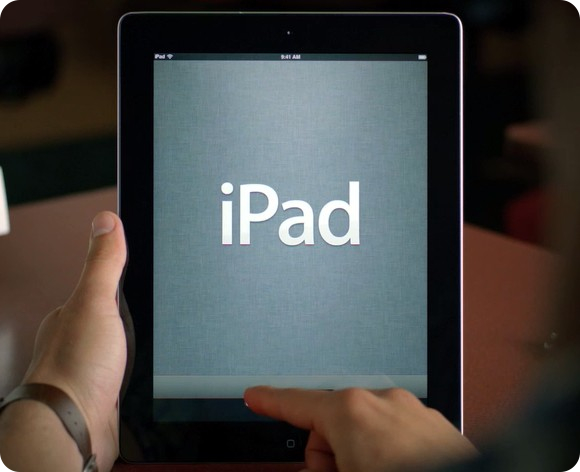


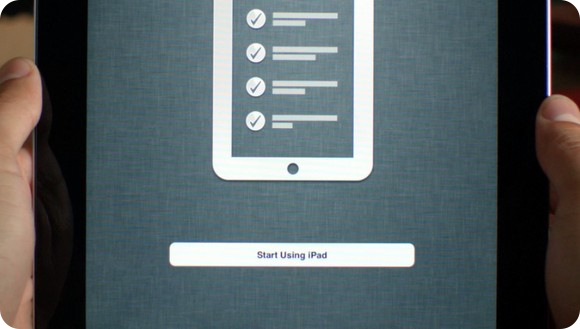
From this autumn all iDevaysy finally become full-fledged mobile device, completely independent from your computer. Because now when you first turn your iPhone or iPad with iOS 5, we were met not "string" and an icon iTunes, and the welcome screen and the initial configuration of the device. Like when you first install Windows and Mac OS, we introduce regional and personal data, set up to connect to Wi-Fi, set the synchronization method - and all the gadget is ready to use. All the music purchased from the iTunes Store and all applications, acquired the App Store, you can instantly download from the respective stores. Whole package. The advantages are obvious legal content.
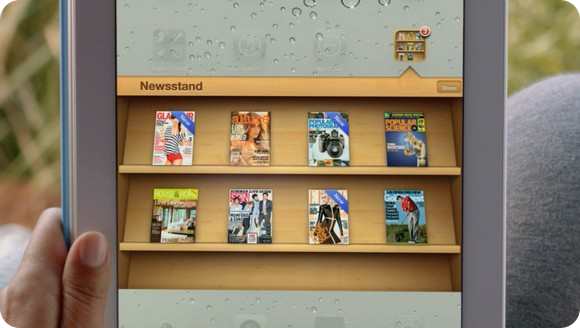
 
 
We turn to the built-in applications, and start with the new - Newsstand, a Russian localization - Kiosk. This is a separate series of shelves, which are automatically posted all purchased magazines, as well as their releases, downloadable in the presence of paid subscriptions. In the future, here to move all electronic publications that are sold in the App Store.
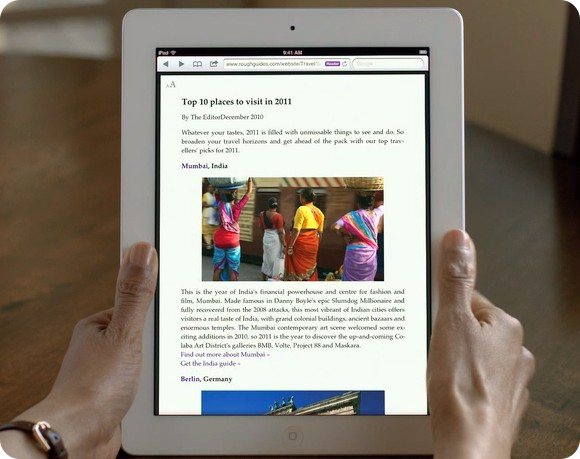


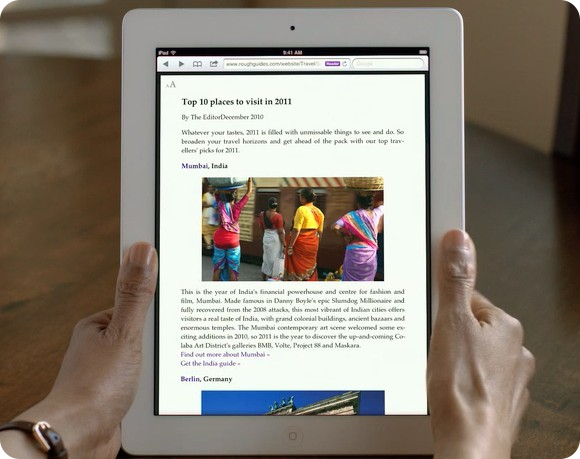
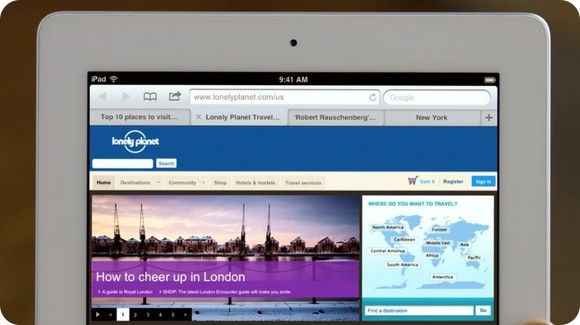
The most convenient and at the same time a simple browser, Safari has been updated and now finally supports tabs. No windows, accessible via a separate menu, namely the tabs that can be moved as zablagorazumitsya. Two more brand new features in the browser generated by third-party programs like Instapaper and service ReadItLater. First - Reader. It removes all "unnecessary" from a web page, leaving only the text and pictures. Formatting in this case remains in place. Second - Reading List, a convenient alternative to the system bookmarks. The needed page can be "set aside for later and return to them through a separate interface panel.
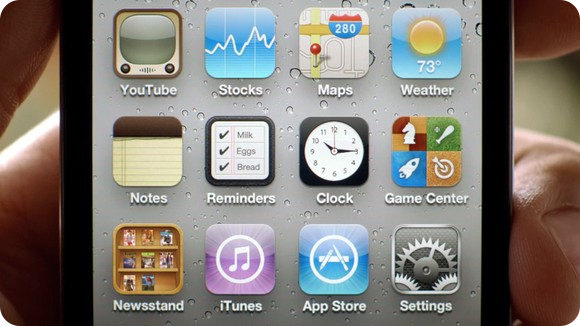


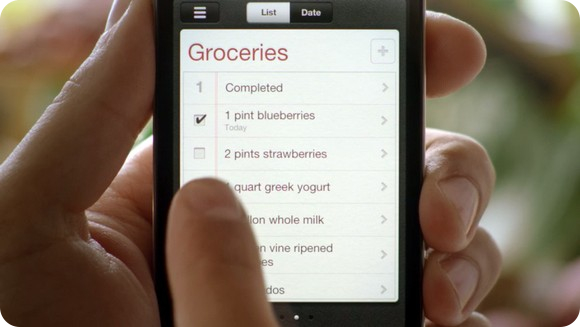
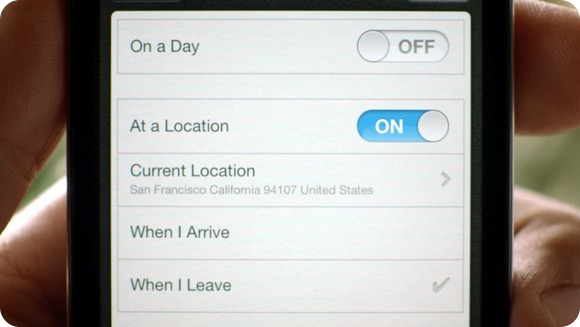
On the desktop there was another new application - Reminders. This is a task manager and "napominalok, now built into iOS. Nicely designed, it allows you guessed it, plan a small problem and combine them with a plan for the day from the calendar. A big plus: the standard calendar reminders not pereseskayutsya with Reminders, so that your "Buy milk" will never be blocked by paragraph "business meeting". You can set the tone and mark the place the task on the map.
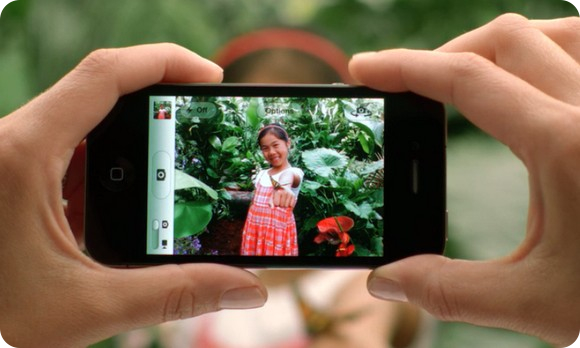


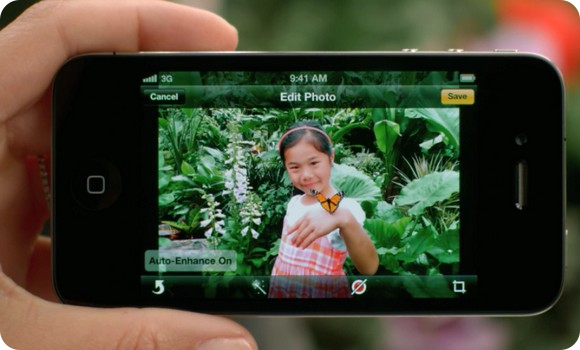
During the WWDC transition to the new presentation of the application the Camera called the author of a surge of skepticism. Apple took several years to make such a simple feature, like photographs of the volume keys. But now we are naturally very happy - because it's convenient. On the screen appeared a separate key lock, causing the camera. In the annex, in addition to additional options for the shutter and manual zoom, there was a very useful feature - built-in photo enhancement. When you click edit and leveled the entire histogram contrast. There you can rotate, crop photos and remove red eye.
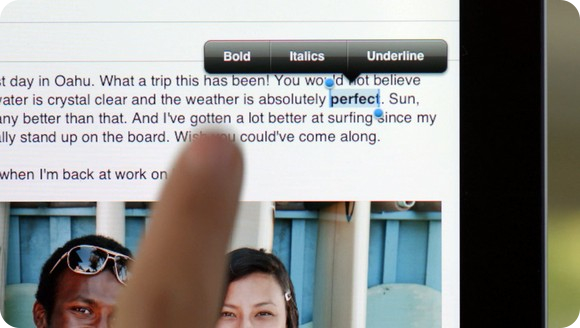
 
 
For the first time in Annex Post Office the opportunity to format text in bold, italic and underlined letters. This ensures that our letters sent to iDevaysov, become a bit more diverse and easier to read. And this will now no longer need to use the web interface. Supported reducing the size of selected text. Letters themselves can be marked - a useful feature to highlight the appropriate correspondence. Looking ahead to the impending review of the firmware, we note that the limit for the locally cached emails have increased up to a thousand pieces. Just do not forget about support standard secure S / MIME - corporate segment will appreciate it highly.
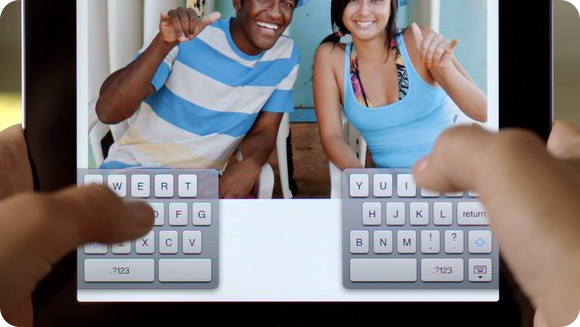
 
 
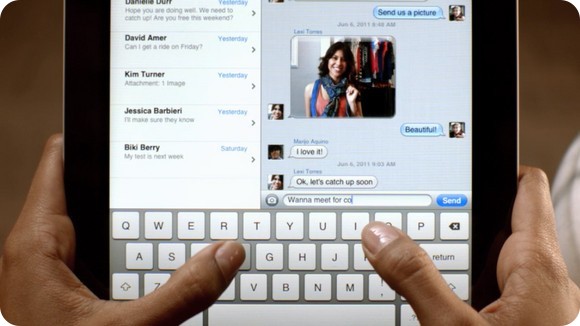
With the new keyboard so all happened suddenly. Perhaps it was the least expected feature in the new firmware. Nobody even thought that Apple will go to the division of virtual keys into two panels. This system fared well on devices from other manufacturers and will now be available to all owners iPad. One-touch keyboard is literally spreading the two halves of the screen. Probably have to get used to it (hint: really have to). But now, typing on Apple may be on the move without taking both hands.
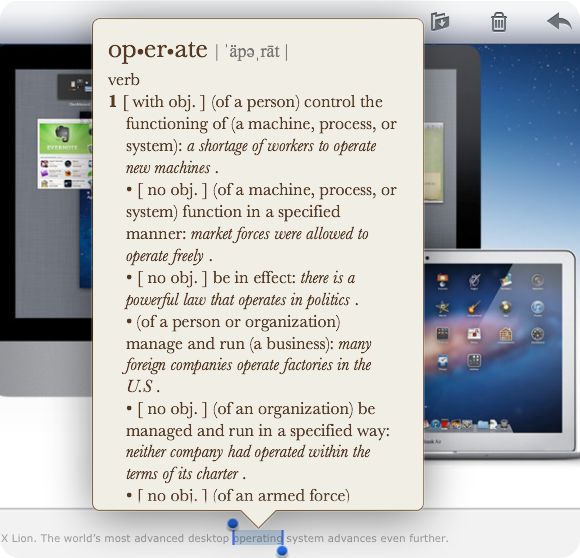
 

In iOS also somehow have built a full-fledged dictionary, by analogy with OS X. Works is simple: select a word and get its meaning, pronunciation and origins.
 

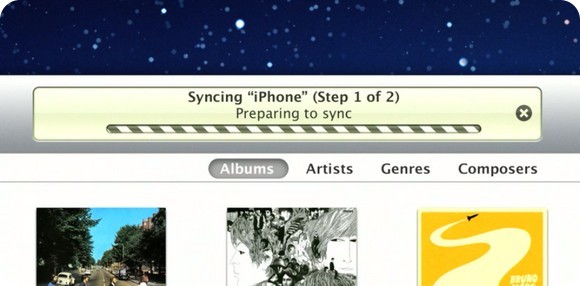
From now on, updates will be downloaded over the air "is not in the format of the entire firmware, but as a" patch ", mounted on top of iOS 5. The rumors were true. And what about the wireless sync? Just open iTunes on your computer, go into the settings iPad and initiate the process. Everything else the system will do itself.



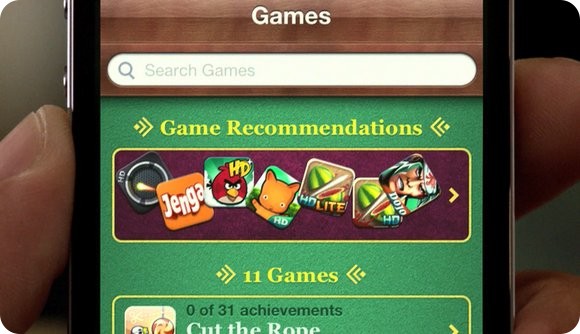
Seriously altered, and Game Center. As if in some Xbox Live, users iDevaysov can upload your photo, to score points Achievments, browse lists of foreign friends, find games for his taste, and install them, do not go into the App Store. Added support incremental game: As soon as your opponent will move, you will be notified. Slowly but surely, Game Center is transformed into a decent gaming network and useful application on the SpringBoard.
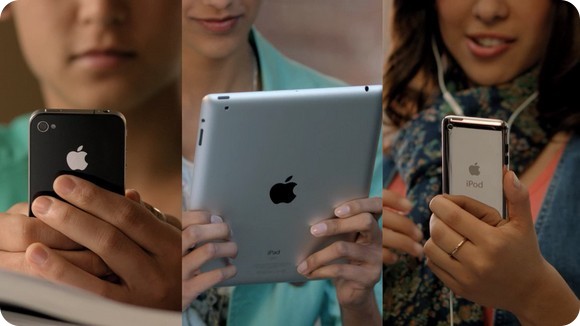


Communication platform for the exclusive owner of the iPhone and iPad, an abundance spread in the App Store, have lost all meaning with the advent of application iMessages. Outwardly, it looks almost the same way as SMS icon in the last firmware iOS. But in addition to communication via the cellular network operator, iMessages offers to exchange messages directly through the server, Apple. Naturally, absolutely free. The main thing to know the e-mail recipient, which is configured to the device.
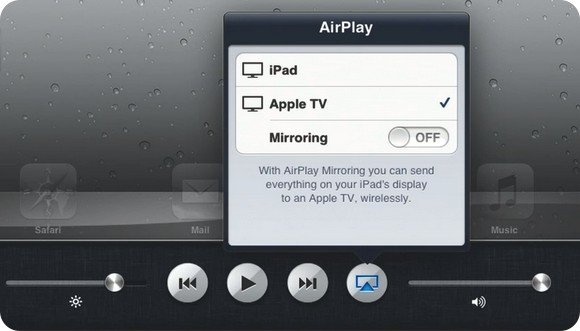


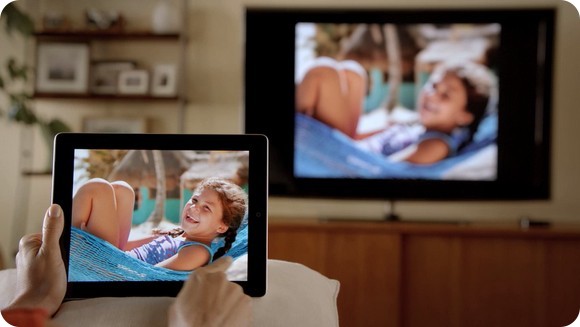
We almost missed the opportunity to transfer video from iPad 2 on Apple TV without any wires to HD-resolution. No longer need any cables: your Springboard, and any applications appear instantly on your TV screen. And iPhone is blinking flash, when we miss calls or comes to a new post.
Changes in more detail, but they went beyond the official presentation. The most daring and attached to the accounts of the developers already had the opportunity to install the beta version iOS 5 on their mobile devices. We are pleased to include in their number.

What is HSDPA and HSUPA network technology?

HSDPA
HSDPA technology (High Speed ​​Downlink Packet Access), also known as 3.5G, 3G + or 3G turbo, is the optimization of spectral technology UMTS / WCDMA , including the specification of 3GPP Release 5 and consists of a new shared channel on the link downlink (downlink) that significantly improves the maximum data transfer rates drop and can be reached up to 14 Mbps (1.8, 3.6, 7.2 and 14.4 Mbps). It supports throughput rates of close to 1 Mbps average. Today, technology is also available HS U PA , with upload speeds of up to 5.8 Mbps, and HSPA + with speeds of up to 84 Mbps downstream and 22 Mbps on the rise.
 
Is the evolution of third generation (3G) technology phone , called 3.5G , and is considered the first step before the fourth generation (4G), the future integration of networks. Is currently developing the specification 3.9G before the launch of 4G .
 
It is fully compatible with WCDMA reverse and rich media applications developed to work with WCDMA HSDPA. Most vendors provide support for HSDPA UMTS.
HSUPA
HSUPA (High-Speed ​​Uplink Packet Access or Access upward packets at high speed) is a data access protocol for networks of mobile high transfer rate of increase (up to 7.2 Mbit / s ).
 
Branded as Generation 3.75 (3.75G) or 3.5G Plus is an evolution of HSDPA (High-Speed ​​Downlink Packet Access, declining access to high-speed packages, named locally as 3.5G). The solution initially boost HSUPA uplink UMTS / WCDMA (3G).
 
HSUPA is defined in Universal Mobile Telecommunications System Release 6 standard published by 3GPP ( www.3GPP.org ) as a technology that offers a substantial improvement in speed for the uphill, from the terminal to the network.
 
HSDPA and HSUPA offer high voice and data services, and will create a large market for services IP mobile multimedia. HSUPA data applications enhance advanced person-to person, with larger and more symmetric data rates, such as e-mail on mobile and real-time game with another player. Traditional business applications along with many consumer applications will benefit from the increase in connection speed.
What your mobile operator offers?
Companies often use a very technical terms and nice to sell the bike. That if Vodafone has coverage HSUPA, 3.5G Movistar offers but really what is and to serve all those buzzwords?
Currently there are four operators in Spain that are licensed for 3G or UMTS: Movistar, Vodafone, Orange and Telstra. From that 3G technologies have been developed that enable ever faster browsing from your mobile or from a computer connected Through a modem.
Technology and speed per operator
Right now the best rate offered is Vodafone HSPA + coverage areas. This technology, with the appropriate phone modem or, in theory allows browsing to 21.6 Mbps downstream and upstream 5.76. This rate is available for various mobile Internet products while others will be the download speed of 7.2 Mbps using HSDPA technology.
Movistar offers a speed of 10 Mbps downstream with 2 rise in Internet Flatrate Maxi while the remainder of price is reduced speed to HSDPA (7.2 down) or even 3 Mbps.
For most of the Orange mobile internet rates operate on HSDPA so the download speed is 7.2 Mbps. Yoigo itself also has HSDPA coverage however their speed limit is lowered by 3.2 Mbps. In areas without coverage own customers of this operator can use the network to Movistar.
Knowing the speed offered by each operator (MVNO will always depend on the operator to provide them with coverage) the question is how fast I need to surf the Internet and the answer is not simple, since it depends on how it is used to connection.
To navigate from the phone with a theoretical speed of 3.2 Mbps HSDPA gives it would be more than enough but to travel through a computer would recommend a higher speed, at least for the 7.2 Mbps offered by three major operators.
Especially because of the theory to reality is a long way and as Telstra said in its website with its 3.2 Mbps "normal average speed of such connections is 0.8 - 1.5 Mbps. This information is not I usually give the operators but we are well Clarita. "
To all this we should also add that we cover (you have links to the cover of each operator in the right menu of this website) and the compatibility of our phone or modem with the various technologies that provide more speed.

Introduction to 4G(Wi-Max) and its features

While on site you will find information about other technologies of wireless Internet access (CDMA, 3G, Metro Wi-Fi), WiMax(4G) - is the most promising of them. Primarily because of Intel, which has included support for WiMax in its mobile platform Centrino 2 laptops and it intends to include WiMax support into a platform for MIDs Centrino Atom. But the 10 most popular questions about WiMax:
 
1. What is Wi-Max(4G)?
2. How does Wi-Max(4G)?
3. What are the specifications for Wi-Max(4G)? 4. How safe is Wi-Max(4G)?
5. What's better, EDGE or Wi-Max(4G)?
6. What's better, Wi-Fi or Wi-Max(4G)?
7. What's better, Wi-Max(4G) or 3G?
8. What's better, leased line, ADSL or Wi-Max(4G)?
9. How to connect to Wi-Max(4G)?
10. What are the prospects for Wi-Max(4G)?
 
1. What is WiMax?
 
WiMax - a high-speed wireless Internet. Wherever you are - in a hotel, cafes, railway station or in a traffic jam on the road, you can open your laptop and work on the Internet. WiMax stands for: Worldwide Interoperability for Microwave Access is translated as "International cooperation for Microwave Access." In the WiMax Forum includes companies such as Intel, Samsung, Nokia, LG, Motorola.
 
2. How does WiMax?
 
WiMax can transmit data over the air (like a mobile) in an urban environment, not looking at buildings, trees or weather conditions. WiMax transmitters installed providers in various parts of the city and allow you to connect to the Internet within the entire coverage area using a computer or mobile phone that supports WiMax. In addition to accessing the Internet using WiMax for high-quality voice and video communications.
 
3. What are the specifications for WiMax?
* Range: up to 50 km.
* Maximum data transfer rate: up to 70 Mbps per sector in a single base station. A typical base station has up to six sectors.
* Frequency: 2.11 GHz.
* Spectral Efficiency: Up to 5 bps / Hz.
* Coverage: enhanced work outside the line of sight significantly improve the quality of the coverage area serviced.
4. How safe is WiMax?
 
First of all, for your health. You do not say, but the frequencies that are running WiMax has long been used by the military, so with the emergence of WiMax will be worse than none. WiMax is not more dangerous to health than conventional mobile communication.
  And of course, wondering whether the safe transmission of data on WiMax for business? In WiMAX provides a triple data encryption algorithm, DES 3. Authentication is supported as part of the sublevel X.509 digital certificates (PK1). WiMAX devices have unique certificates, one for the type of devices, one for the manufacturer. Thus, it will be achieved an efficient and reliable protection of data streams. Therefore, based on WiMax, even created a virtual private network (VPN). They allow you to create secure tunnels for communication with remote users as well as within the company.
  
5. What's better, EDGE or WiMax?
 
EDGE - a suspension over mobile networks GSM / GPRS. Maximum speed EDGE - 474 kbps (slower than WiMax). The theoretical advantage of EDGE is more coverage. However, support for EDGE in a GSM network requires certain modifications and improvements of equipment that operators have been slow to implement. Therefore, in practice, EDGE coverage is available only in relatively large cities.
 
6. What's better, Wi-Fi or WiMax?
 
In most cases, these technologies are more friends, not competitors, because they are often used together. Wi-Fi - is also a wireless technology that has approximately the same rate as WiMax, but for much shorter distances of transmission. Wi-Fi is designed primarily to build local networks in environments with relatively small radius of action. The distance from the hotspot (the transmitter) Wi-Fi to your computer no more than tens of meters. But Wi-Fi now supported by almost every notebook and mobile phone.

Therefore, Wi-Fi is often used to connect computers to the WiMax-network, and WiFi-Internet providers are trying to make friends and cooperate with providers of WiMax to provide a "last inch" of access for customers.
 
7. What's better, WiMax or 3G?
 
3G - is the common name of technology 3-generation mobile technologies that are designed to replace the mobile networks of GSM and CDMA. The most common technologies are 3G CDMA2000 1x EV-DO and UMTS / HSDPA. These technologies are competitors WiMax in mobile internet (ie internet access for those who travel frequently). They are slower than WiMax (maximum speed - up to 3.6 Mbps), but possess the same range. In addition, the existing mobile operators is more convenient to introduce 3G technology is compatible with existing networks, so coverage of 3G networks are now more than WiMax.
  However, for new providers WiMax equipment is cheaper than 3G, so most likely they will develop a network of WiMax. In addition, with Intel, WiMax support will soon be implemented in most mobile devices - laptops and communicators.
 
8. What's better, leased line, ADSL or WiMax?
 
There is no doubt that today the majority of Internet users connected through the already laid cable or telephone lines (ADSL). And the connection speed they are quite satisfied. And even (perhaps) there is no need to go to the Internet from different places. But Internet access for businesses in our time must be truly reliable. No konnekta - business stops. A wired Internet service providers often use the monopoly position and not quickly eliminate the problems with the Internet. Therefore, many companies and users use WiMax as an additional channel of access, ensuring business continuity and independence from external factors.
  In addition, the deployment of WiMax networks in undeveloped areas are still - more cost-effective than laying cable, so in these cases, access to WiMax will be even cheaper.
 
9. How to connect to WiMax?
 
Firstly, it is necessary to determine the WiMax service provider in your city and select one of its tariffs. Use the ratings of providers on our site.
  Typically, for connecting to sign a contract, get a sim-card and purchase the necessary equipment (static modem adapter to your laptop or phone). Sometimes ISPs provide their own equipment to rent and you do not have to buy it.
 
10. What are the prospects for WiMax?
 
Despite the fact that the Internet is in many cases to resolve issues without leaving the office (for example, using the Web-conference), the mobility of Internet users is growing every year. This happens because, thanks to the same Internet business becomes more global. Employees, partners and customers often live in different cities, different countries. But without a personal meeting, in some cases not enough.
  In addition, web-based applications that raise efficiency by an order of business is becoming more popular. Therefore, the demand on the global wireless Internet access will soon become the same as a traditional mobile phone.